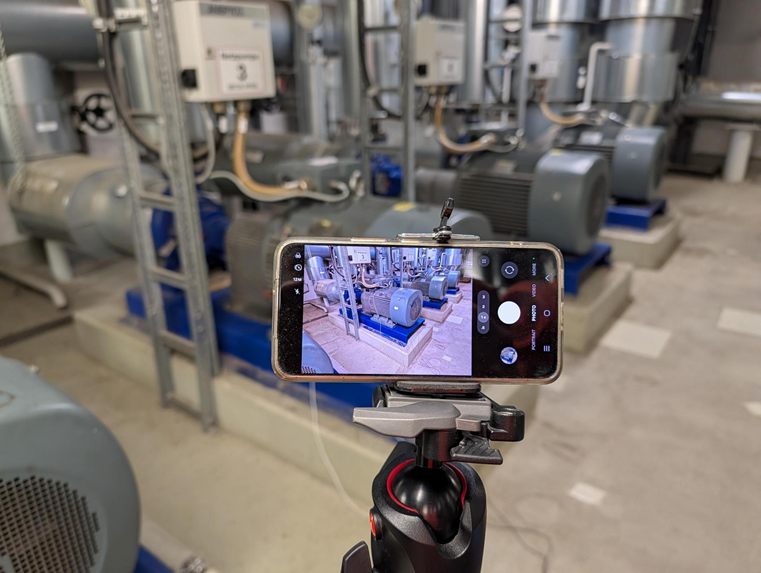
For vibration analysis with WaveCam, the object can be recorded using a smartphone camera. Mount the smartphone securely on a stable tripod in landscape orientation. Position the camera so that the relevant component occupies as much of the image as possible and the expected motion is visible in the image plane. Neither the smartphone nor the tripod may move during the recording.
Use the smartphone's slow-motion mode and select the highest available frame rate at which the object remains sharp and sufficiently bright. In most cases, the smartphone camera's automatic settings for focus, exposure, and white balance provide the best results. Before starting the measurement, allow a moment for these settings to stabilize. Bright, even lighting improves image quality and helps to prevent motion blur.
WaveCam can analyze both steady operating conditions and non-stationary events such as run-ups, coast-downs, or load changes. The video should therefore contain the complete event that will be evaluated later. Do not touch the smartphone while recording, as camera movement can affect the result. Depending on the smartphone, a slow-motion recording may contain normal-speed sections at the beginning or end. These sections can be trimmed either directly on the smartphone or later in WaveCam. Transfer the video to the WaveCam computer without additional compression whenever possible.
For more information, check the video under the link https://www.youtube.com/watch?v=ruPSdHQ7Q64.